

Free US shipping on orders over $25 — worldwide distribution available
Engineering Music Enjoyment for Everyone since 2005
Volume orders for schools, clinics, airlines & resellers
Airplane seatback audio can make a long flight feel less isolating, but its headphone sockets were not designed for every modern device. If you use AirPods, the missing link may be an airplane audio adapter for airpods: a small Bluetooth transmitter that connects to the seat’s headphone jack and sends sound wirelessly. Setup is usually simple, yet the details matter. Small plugs. Different rules.
This guide explains how to choose a compatible adapter, pair it with AirPods, and check the connection before settling in. It also covers practical points travelers often discover too late, such as charging, audio delay, seatback volume, and whether a two-prong socket needs a different plug. Most adapters work with standard analog headphone outputs, but aircraft systems and product designs vary. Check the adapter’s instructions and your airline’s guidance rather than assuming every seat behaves the same. On some trips, the pairing process may take a few attempts; that is frustrating, and worth admitting. The goal is not to promise perfect sound, but to help you avoid preventable surprises. With a little preparation, you can enjoy movies or music through your own earbuds while keeping the setup compact and easy to manage. We’ll focus on clear steps, realistic limitations, and the small checks that make in-flight listening smoother.
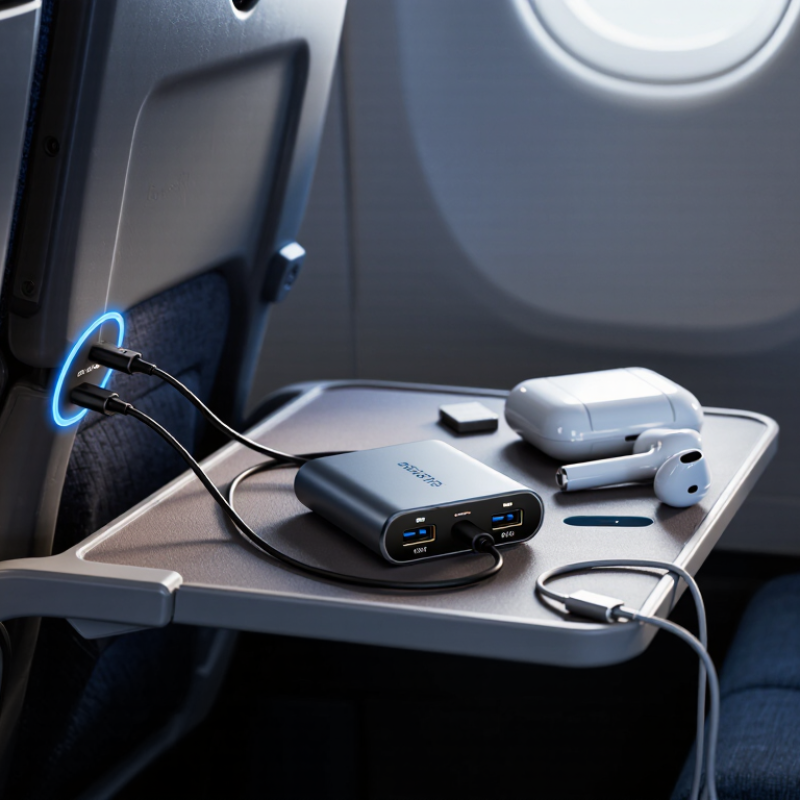
Before choosing an airplane audio adapter, inspect the seat’s headphone jack. Many newer seats have one standard 3.5 mm socket. Some older systems use two smaller plugs side by side. Look closely: the openings can be easy to mistake in dim cabin lighting. A dual-plug adapter may be needed for those older sockets, while a single-plug seat usually accepts a standard audio connection.
Wireless earbuds cannot receive sound directly from a wired seat jack. You will need a Bluetooth audio transmitter with an input that matches the aircraft jack, or a compatible cable-based setup. Check the transmitter’s specifications for its plug type and supported Bluetooth connection. Also confirm it can pair with your earbuds; some transmitters connect to two sets, but not all do. Small details matter.
If the seat has a dual-plug jack, verify that the adapter combines its audio correctly rather than relying on its shape alone. Airline seat systems vary, and an adapter that fits may still deliver weak or one-sided sound. Test the transmitter and earbuds before boarding, and charge them fully. Keep a wired backup if clear audio matters; pairing can occasionally be fiddly.
Before boarding, charge the wireless earbuds and their case fully. A low battery can interrupt a film halfway through, especially on a long flight. Check the case lights or battery indicator, then place each earbud inside until it begins charging. Wipe the charging contacts with a clean, dry cloth if an earbud does not respond. Small check. Bring the charging cable in your carry-on, not buried in checked luggage. Charging access may be limited once you are seated.
Charge the Bluetooth adapter as well, and confirm it has enough power for your expected listening time. Read its instructions to find the pairing mode and the correct setting for a seat-back audio socket. Some aircraft use two separate audio plugs, while others have a single socket, so check the adapter’s connection before travel. At home, pair the adapter with the earbuds and play a short audio track. This catches pairing delays and uneven sound before you are on board. Keep the earbuds close to the adapter during pairing; a crowded cabin is not the place to troubleshoot. I sometimes overlook one detail: adapters can reconnect to a previously paired device instead. Clear an old connection if pairing fails, then try again. It is a slightly fussy step, but useful.
At your seat, find the audio jack in the armrest or seatback panel. Check the opening before plugging in: some aircraft use a standard single socket, while others have a two-prong layout. Use an adapter that matches the jack, and push its plug in gently until it sits firmly. Don’t force it. A loose connection can cause crackling or sound in only one ear.
Turn on the adapter and put your wireless earbuds into pairing mode. Keep them close to the adapter while they connect; pairing may take a few seconds. Play the seatback system’s audio at a low volume, then raise it gradually. If you hear nothing, check that the screen is playing, the plug is fully seated, and the adapter is charged. Bluetooth SIG’s 2024 Market Update projects 5.4 billion Bluetooth device shipments annually by 2028, reflecting the growing use of wireless audio devices. Still, aircraft jack layouts and seatback systems vary, so test the connection before settling in.
A small detail matters: the adapter may need to be switched from receive mode to transmit mode to send seatback audio to your earbuds.
Before the flight, charge the audio adapter and your earbuds. Check that the adapter’s plug fits the seat’s audio socket; some aircraft use two sockets, while others use one. If the adapter has a mode switch, set it to transmit. Keep the earbuds and adapter close together, ideally within arm’s reach. Small details matter.
Plug the adapter into the seat jack, then switch it on and activate its pairing mode. Put the earbuds into pairing mode too, following the controls for your specific model. A flashing light often signals that they are ready, though indicator patterns vary. Wait for the adapter’s light or tone to confirm a connection. This can feel oddly fiddly. If pairing stalls, turn Bluetooth off on nearby devices, then restart pairing on both units. Keep the charging case open and nearby until the connection holds; closing it too soon may interrupt some models. Play a short audio sample at low volume before settling in. If there is no sound, check the seat’s audio source and push the plug fully into the socket. On some adapters, a second connection can cause confusion, so remove unused pairings and try again.
At the seat, check the audio socket before connecting your wireless earbuds. Some aircraft use a two-prong jack, while others use a standard plug. Match the adapter to the socket, then connect it firmly. On the seat screen, choose the movie or audio source and start playback before pairing. This makes connection problems easier to spot. If sound comes from only one side, reseat the plug and check the adapter’s connection. Cabin systems vary, so a little trial and error is normal.
Adjust volume on both the seat controls and your earbuds, changing one at a time. Start low, then raise it until dialogue is clear without masking the cabin announcements. The WHO-ITU Global Standard for Safe Listening Devices recommends an adult exposure allowance of 80 dB for up to 40 hours per week. That is a general listening benchmark, not a cabin-specific limit, but it supports avoiding prolonged, unnecessarily loud playback. If voices sound thin, try a different audio track or modestly adjust equalizer settings, if available. Heavy bass can muddy speech. One catch: seat-screen controls may not change wireless-earbud volume, so use the earbud controls when needed.
Check the seat’s audio jack before connecting anything. A single round socket usually takes a standard plug; two small sockets may need a dual-plug adapter. Cabin lighting can make the openings hard to see.
No. The jack sends wired audio. Use a Bluetooth audio transmitter with an input that matches the aircraft jack, or choose a compatible wired setup.
Not always. An adapter may fit but still produce weak or one-sided sound. Test it before your trip if possible.
Plug it gently into the armrest or seatback jack until it sits firmly. Don’t force it. A loose connection can cause crackling.
Turn on the transmitter and put your earbuds into pairing mode. Keep them nearby while they connect. It can be fiddly.
Make sure the seatback screen is playing, the plug is fully seated, and the transmitter is charged. Also check its mode; it may need to transmit audio.
Yes. Check the jack, adapter, transmitter, and earbuds at home, then charge everything fully. I may be overchecking, but cabin troubleshooting is awkward.
If clear audio matters, yes. A wired backup avoids pairing problems, though it still needs a compatible plug. Fits can be deceiving.
Using an airplane audio adapter for airpods can make it easier to listen to in-flight entertainment wirelessly. Before boarding or settling in, check the seatback audio jack and confirm that the adapter supports its connection type. Make sure your AirPods are charged, and charge the Bluetooth adapter as well. Once you are seated, plug the adapter into the audio jack and turn it on.
Put the adapter into pairing mode and connect your AirPods, following the device’s prompts. When pairing is complete, select the desired audio program on the seatback screen and adjust the volume to a comfortable level. If you hear no sound, check that the plug is fully inserted, the correct audio source is selected, and the adapter is still connected. These simple steps can help you prepare for a more convenient listening experience during your flight.