

Choosing custom in-ear monitors for musicians is more personal than selecting headphones from a product shelf. The right pair should support accurate monitoring, stable fit, and comfortable performance under pressure. A singer may need clear vocal presence. A drummer may prioritize strong isolation and precise timing. Guitarists often need balanced midrange detail. Small differences matter on stage.
Custom in-ear monitors for musicians are molded from impressions of the listener’s ears. This process can improve security during movement and reduce unwanted external noise. However, a custom shell is not automatically comfortable or acoustically correct. An experienced audiologist should take the impressions carefully. The manufacturer should also explain driver design, sensitivity, impedance, cable options, and realistic isolation levels. Professional musicians commonly test monitors during rehearsals, not only in quiet rooms. That practical step can reveal harsh frequencies, weak bass, or excessive occlusion.
Fit is only one part of the decision. Consider your performance environment, monitoring system, travel routine, and budget. A reliable model should offer replaceable cables, clear warranty terms, and accessible service support. Keep hearing safety in view. Excessive volume can damage hearing, even when the sound feels clean. Use sensible levels and take regular breaks.
There is no perfect monitor for everyone. Room acoustics change. Ear shapes differ. Personal preferences can be inconsistent, too. This guide will compare the main choices and highlight the compromises behind them. A thoughtful decision may take more time, but it can make every rehearsal feel more controlled and every performance more confident.
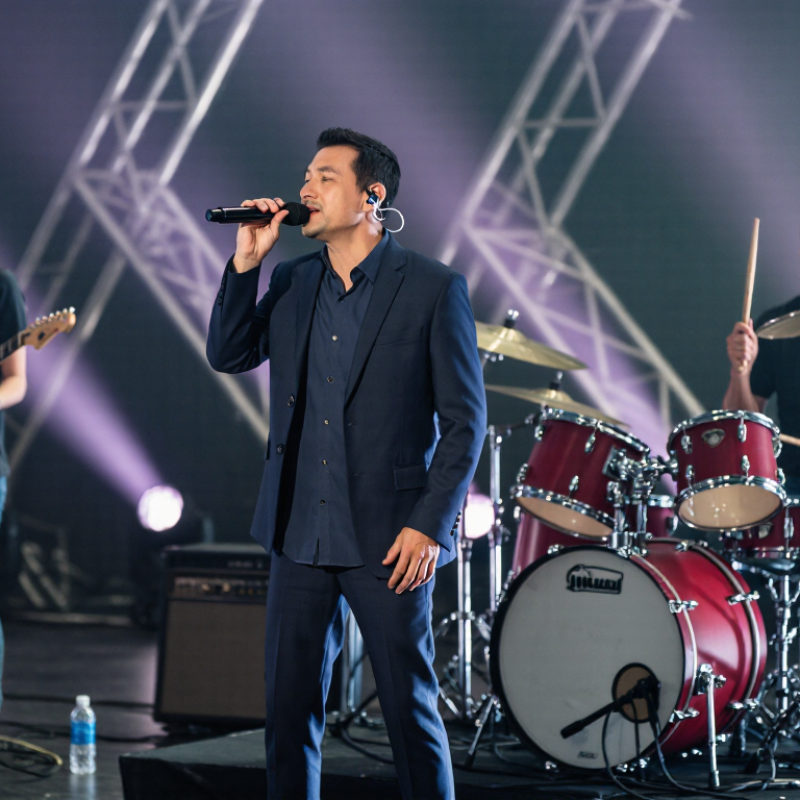
Choosing custom in-ear monitors begins with exposure, not appearance. NIOSH sets 85 dBA as the recommended limit for an eight-hour workday. Its 3 dB exchange rate halves allowable time when sound rises. At 88 dBA, exposure time drops to four hours. At 91 dBA, it becomes two hours. These figures describe total daily dose, including rehearsals, soundchecks, commuting, and playback.
A well-made custom shell can improve isolation and reduce the urge to increase volume. It cannot make loud monitoring harmless. Ask for real-ear verification during fitting. A phone meter can show trends, but it may misread sound inside the ear canal. The WHO Global Standard for Safe Listening Devices, published in 2022, recommends exposure tracking, volume limiting, and warning features. These controls matter when a quiet studio suddenly becomes a loud stage. Fit also changes with jaw movement, sweat, and cable pressure. A broken seal may encourage sudden volume increases.
Choose a monitor system that supports a conservative starting level and separate mixes for each performer. Engineers should check peaks and daily dose, not only average loudness. NIOSH and CDC guidance warns that repeated high-level exposure can damage hearing gradually, often without pain. Ringing after rehearsal is not a useful performance metric. It is a warning. Hearing checks with an audiologist are sensible after major monitoring changes. Personal judgment still fails under stage pressure. That is the uncomfortable part.
| Selection Dimension | Recommended Benchmark or Check | Why It Matters for Musicians | Practical Evaluation Method | Risk Indicator |
|---|---|---|---|---|
| Daily Sound Exposure | Keep the time-weighted average at or below 85 dBA for an 8-hour workday. | NIOSH identifies 85 dBA over 8 hours as its recommended exposure limit for occupational noise. | Use a properly configured sound-level dosimeter or calibrated measurement system during rehearsals, performances, and personal monitoring. | Preferred target |
| Exchange Rate | Apply a 3 dB exchange rate: every 3 dB increase halves the recommended exposure time. | Sound energy rises rapidly as level increases, even when a performance feels only slightly louder. | Use exposure estimates such as 85 dBA for 8 hours, 88 dBA for 4 hours, 91 dBA for 2 hours, and 94 dBA for 1 hour. | Monitor closely |
| Fit and Seal | The custom shell should create a consistent, comfortable seal without gaps or pressure points. | A poor seal reduces isolation and may encourage the musician to increase monitor volume. | Check fit while singing, moving the jaw, and turning the head. Reassess the fit if the earpiece causes pain, feedback, or noticeable volume imbalance. | Re-fit if needed |
| Passive Isolation | Prefer documented attenuation test results across low, mid, and high frequencies rather than a single overall rating. | Stage noise is frequency-dependent; attenuation that works well for high frequencies may be less effective for low-frequency sound. | Ask for a real-ear or laboratory attenuation report and confirm that the result applies to the actual shell and acoustic filters selected. | Evidence-based choice |
| Monitor Volume | Set the lowest level that provides clear pitch, timing, and communication cues. | Isolation is helpful only if the monitor feed is not turned up enough to create excessive ear exposure. | Begin at a low level, increase gradually, and use a mixer or limiter to prevent sudden peaks. Avoid using loudness to compensate for a poor fit. | Lower is safer |
| Peak and Transient Control | Use a properly configured limiter for sudden peaks, while preserving enough headroom to avoid distortion. | Snare hits, cymbals, feedback, and accidental cable or mixer events can create brief high-level exposures. | Have a qualified audio professional configure attack, release, threshold, and gain structure for the specific monitoring system. | Requires setup |
| Ambient Awareness | Choose an appropriate balance between isolation and awareness of safety-critical cues. | Excessive isolation can make it harder to hear alarms, traffic, stage instructions, or nearby hazards. | Use a controlled ambient microphone or remove the monitors when moving through hazardous areas, crossing roads, or responding to alarms. | Situation-dependent |
| Listening Breaks | Schedule quiet recovery periods and avoid continuous high-level monitoring throughout the entire workday. | Breaks reduce cumulative exposure and can help identify temporary hearing changes before the next performance. | Build quiet intervals into rehearsals, soundchecks, and sets. Do not treat breaks as a substitute for controlling excessive monitor levels. | Good practice |
| Hearing Symptoms | Stop or reduce exposure if ringing, muffled hearing, distortion, pain, or unusual sensitivity occurs. | These symptoms can indicate that the ears have experienced excessive sound exposure or another hearing problem. | Move to a quiet area and seek evaluation from a hearing-care professional if symptoms persist, recur, or affect one ear more than the other. | Take action |
| Fit Verification | Use individual fit testing when available; do not assume a custom earpiece provides its labeled or expected attenuation in every ear. | Ear anatomy, insertion depth, venting, movement, and maintenance can change real-world protection. | Compare measured personal attenuation with the manufacturer’s test information and repeat the check after repairs, refitting, or major ear changes. | Best verification |
| Maintenance and Hygiene | Keep sound bores, filters, cables, and shells clean and unobstructed; inspect them before use. | Blockages or damaged components can alter frequency balance, reduce clarity, and lead to unsafe volume increases. | Follow the care instructions for the earpieces, replace damaged parts, and stop using any shell that causes irritation or no longer seals correctly. | Routine check |
| Professional Hearing Review | Arrange a baseline hearing test and periodic follow-up, especially for frequent performers or audio professionals. | Testing provides an objective reference for detecting changes that may not be obvious during daily listening. | Use a qualified audiologist or hearing-care professional, and report persistent tinnitus, sudden hearing loss, pain, or asymmetric symptoms promptly. | Recommended |
Impedance describes electrical load. Sensitivity describes loudness from a given input. Together, they affect usable volume and clarity.
Often, yes. They can reach strong volume from wireless receivers. Extremely sensitive models may reveal hiss between songs.
No. They may sound cleaner with powerful wired outputs. Some wireless systems may not drive them comfortably.
Use the actual receiver and cable. Check output specifications. Aim for headroom below maximum volume.
Use the same song and volume. Start quietly. Check for hiss, harsh cymbals, weak bass, and stable volume.
Measurements cannot predict every listening experience. A monitor may sound too bright after an hour.
A trained audiologist should inspect the canal and take impressions beyond the first bend. Move your jaw during the process.
These movements show whether the monitor may loosen on stage. They can reveal possible pressure points or seal problems.
It may reduce the urge to increase volume. However, it is not hearing protection by itself.
Choose replaceable cables with secure connectors and flexible memory wire. Select enough length for your instrument position.
A short cable may pull during movement. A long cable may snag on clothing or equipment.
Request written confirmation before ordering. Ask an audiologist to verify comfort, retention, and acoustic balance. Perfect is not always proven.
Choosing custom in-ear monitors for musicians requires balancing hearing protection, sound quality, technical compatibility, and comfort. Start by considering the NIOSH guideline of 85 dBA over an eight-hour period, since excessive volume can contribute to hearing damage. Select driver configurations according to your musical needs, whether you prioritize balanced detail, powerful low frequencies, or clear vocal and instrumental separation across the 20 Hz–20 kHz range. Isolation is also important: custom IEMs typically reduce outside noise by approximately 20–30 dB, helping musicians hear accurately without relying on dangerously high listening levels.
Next, compare impedance and sensitivity with your wireless or wired monitoring system to ensure efficient performance and sufficient volume without unwanted noise. Confirm that the earpieces are made from professional audiologist-created impressions, as an accurate fit improves comfort, stability, and acoustic consistency. Finally, review cable choices, connector durability, and replaceability before ordering. A thoughtful evaluation of these factors will help you choose reliable monitors that support performance, protect hearing, and remain comfortable during rehearsals, recording sessions, and live shows.