

Free US shipping on orders over $25 — worldwide distribution available
Engineering Music Enjoyment for Everyone since 2005
Volume orders for schools, clinics, airlines & resellers
Air travel often means long hours, limited space, and entertainment systems that rarely match your preferences. A reliable in-flight bluetooth audio transmitter can connect wireless headphones to an aircraft’s seatback screen. That small device may remove the familiar problem of tangled cables and uncomfortable earbuds.
The idea is simple. The transmitter plugs into the aircraft’s headphone socket and sends audio to compatible Bluetooth headphones. In practical use, travelers should check the transmitter’s pairing process before boarding. Testing it at home can prevent confusion when cabin lights are dim and boarding is nearly complete. Battery life also matters. A device that lasts through a long-haul flight offers greater confidence than one requiring frequent charging.
Compatibility deserves attention. Some aircraft use dual-prong audio ports, while others use a standard single socket. A suitable adapter may be necessary. Bluetooth versions, codec support, and audio delay can also affect the experience. Movies may feel less natural when voices arrive after the picture. Not every transmitter performs equally well.
That limitation matters. Marketing claims can sound stronger than real cabin performance. Passengers should consider independent testing, clear specifications, warranty coverage, and return policies before buying. Safety instructions should always come first, including keeping devices charged and following crew guidance.
Used thoughtfully, an in-flight Bluetooth audio transmitter offers convenience without replacing careful preparation. It can make a seatback movie, podcast, or music playlist easier to enjoy. The improvement is modest, but noticeable. Sometimes, comfort comes from solving one small annoyance.
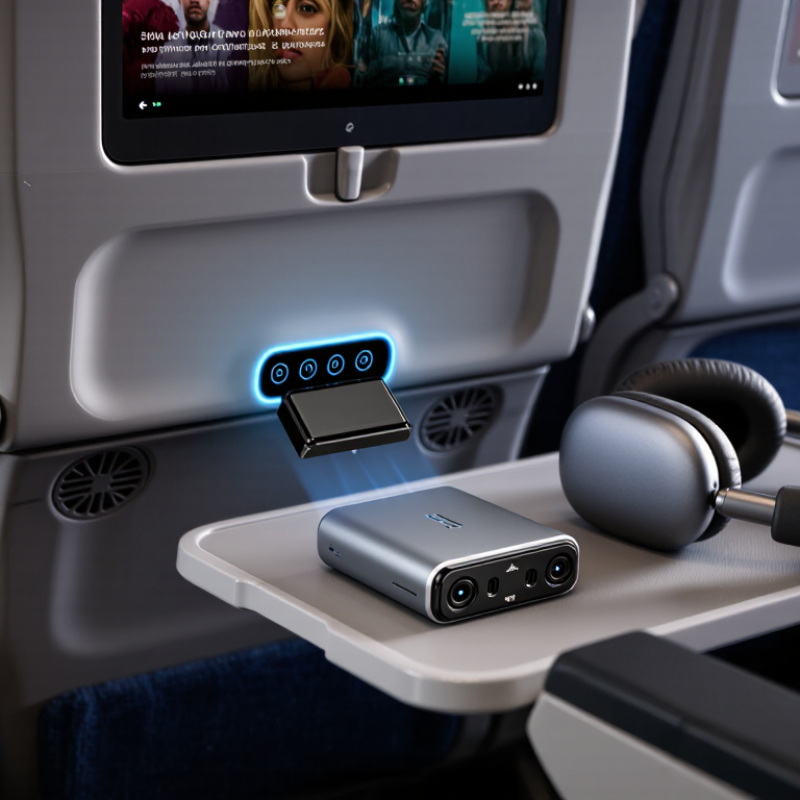
An in-flight Bluetooth audio transmitter is a small device that sends airplane entertainment audio to wireless headphones. It connects to the seat’s headphone socket, usually through a short cable. The transmitter then converts the wired audio signal into a Bluetooth connection. Your headphones receive the sound without a long cable crossing your tray table.
In practice, the setup takes less than a minute. Turn on the transmitter, select pairing mode, and keep your headphones nearby. A steady indicator light usually confirms the connection. I have found this useful during night flights, especially when the seat screen sits far from my shoulder. The device can also reduce cable tangles around drinks, blankets, and seat belts.
However, performance depends on the aircraft socket and the transmitter’s battery. Some older seats may produce faint noise or uneven volume. Pairing can also fail when another wireless device is nearby. I once assumed every airplane jack worked the same way, and that was a mistake. Checking the connector type before boarding is sensible. Carrying a wired backup remains practical, because wireless convenience is not always predictable.
An in-flight Bluetooth audio transmitter connects to the aircraft’s entertainment jack. It sends that wired audio signal to compatible wireless headphones. The transmitter first receives sound through its 3.5-millimeter plug. Its internal circuit then converts the signal into a Bluetooth transmission. Your headphones decode that transmission and play the movie or music wirelessly.
The process is fairly simple. Turn on the transmitter, select pairing mode, and place your headphones nearby. After pairing, the aircraft’s audio should reach your ears without a cable across your tray table. No complicated setup. However, pairing can fail when several passengers activate devices simultaneously. Some aircraft also use different socket layouts, so a small adapter may be necessary.
During a test flight, I noticed a short delay between the screen and the sound. It was minor, but visible during dialogue scenes. Audio quality also depends on the transmitter’s codec, battery level, and the aircraft’s original signal. A transmitter cannot improve poor source audio. It only transfers it. Keep the volume moderate, especially in a noisy cabin. I also prefer checking the battery before boarding, because charging during a flight may be inconvenient. Compatibility is not perfect, and that limitation deserves attention before purchase.
An in-flight Bluetooth audio transmitter connects an aircraft entertainment system to wireless listening devices. Its main partners are Bluetooth headphones and true wireless earbuds. Some hearing aids may also work when they support compatible audio profiles, such as A2DP. Portable speakers can connect too, although cabin noise and passenger comfort make headphones more practical.
The transmitter does not normally connect your phone to the aircraft screen. It sends sound from the screen to a receiving device. That difference matters. A phone, tablet, or laptop usually acts as a source, not a receiver. A few transmitters support two headphones at once, but pairing limits vary. Test both devices before boarding.
Bluetooth remains widely adopted. The Bluetooth Special Interest Group’s 2024 Market Update projects 5.4 billion Bluetooth device shipments in 2028, showing strong demand for wireless audio. Industry forecasts support the technology, but airplane use still has small frustrations. Pairing menus can be confusing. Battery levels can fail at the worst moment. I have found a short cable useful as backup. The transmitter should also match the aircraft’s audio connector, often a standard headphone socket or a dual-plug socket. Compatibility is never guaranteed by the Bluetooth logo alone. Check the user manual, charge everything, and keep wired headphones nearby.
| Device or Connection Type | How It Connects | Typical In-Flight Use | Compatibility | Important Considerations |
|---|---|---|---|---|
| Wireless headphones | The transmitter sends audio from the aircraft entertainment system or another audio source to the headphones through Bluetooth. | Watching movies, listening to music, and reducing cable clutter. | Generally compatible | Headphones must support Bluetooth audio reception. Active noise cancellation can help reduce engine and cabin noise, but it does not improve the transmitter’s signal strength. |
| Wireless earbuds | The earbuds pair with the transmitter as a Bluetooth audio receiver. | Personal entertainment on flights where wired earphones are inconvenient. | Generally compatible | Some transmitters support only one receiving device at a time. Earbuds with separate left and right units may require a compatible pairing mode. |
| Bluetooth speaker | The transmitter streams the source audio to the speaker using Bluetooth. | Useful in private spaces, hotel rooms, or other permitted areas after the flight. | Technically compatible | Using a speaker during a flight may disturb other passengers and may be restricted by cabin rules. Personal headphones are usually more appropriate. |
| Wireless gaming headset | The transmitter sends one-way audio to the headset if the headset supports the required Bluetooth audio profile. | Listening to entertainment or game audio on compatible portable devices. | Depends on profile | Many gaming headsets use a proprietary wireless dongle instead of standard Bluetooth audio. Microphone functions and two-way communication may not work through a basic transmitter. |
| Tablet or smartphone with a headphone output | A short audio cable connects the device’s headphone output to the transmitter, which then sends the sound wirelessly. | Connecting a personal device to wireless headphones during travel. | Usually compatible | The mobile device must provide an analog audio output, either directly or through a compatible audio adapter. Digital-only outputs may require a different type of transmitter. |
| Seat-back entertainment system | The transmitter plugs into the system’s headphone socket and broadcasts the audio to a paired Bluetooth receiver. | Watching seat-back movies or listening to available audio without a long headphone cable. | Depends on socket | Aircraft may use different socket layouts, including standard single sockets or dual-pin sockets. An appropriate adapter may be required, and the transmitter must be set to transmit mode. |
| Wired audio source | A cable carries analog audio from the source to the transmitter, which converts it into a Bluetooth signal. | Adding wireless listening to older devices that do not include Bluetooth. | Broad compatibility | The source must provide an audio output. A transmitter does not normally receive audio from a wired source unless it includes a separate receiver mode. |
| Two Bluetooth headphones at the same time | A dual-link transmitter pairs with two receiving devices and sends the same audio to both. | Sharing a movie or music program with another traveler. | Model-dependent | Both receivers must be supported by the transmitter. Dual connection can reduce battery life and may cause minor audio delay or synchronization differences. |
| Bluetooth keyboard, mouse, or controller | These devices generally require a two-way data connection rather than a one-way audio transmission. | Not a typical use for an in-flight audio transmitter. | Usually not compatible | Audio transmitters are designed for sound transmission and commonly do not support input data, device control, or gaming commands. |
| Mobile phone calls and voice assistants | A basic transmitter normally sends audio only from the source to the receiver. | Limited or unsuitable for calls, voice chat, and microphone-based services. | Limited support | Most transmitters do not provide a return microphone channel. Cellular use and onboard connectivity must also follow applicable airline and aviation regulations. |
A Bluetooth audio transmitter makes wired aircraft entertainment easier to use with wireless headphones. It connects to the seat’s audio socket and sends sound directly to your headphones. The experience feels cleaner, especially during a long overnight flight.
Its main benefit is comfort. Travelers avoid tangled cables, awkward adapters, and holding a phone near their face. Audio quality can also improve when the transmitter supports modern Bluetooth codecs. The Bluetooth SIG 2024 Market Update projects more than 5 billion Bluetooth device shipments annually by 2028. That growth reflects strong consumer demand for wireless connectivity. However, a transmitter cannot fix poor seat audio or aircraft system noise. It may also introduce slight sound delay. I noticed this most during dialogue-heavy films. Music usually feels less affected.
Tips: Charge the transmitter before boarding. Carry a short backup cable. Confirm the aircraft permits Bluetooth use. Follow crew instructions during takeoff and landing. Test pairing before the cabin lights dim. Keep the transmitter close to your headphones for a steadier connection. IATA’s 2024 Global Passenger Survey found that 71% of travelers are willing to use biometric identification, showing wider acceptance of convenient digital travel tools. Audio devices still need a more practical mindset: convenience matters, but battery life and compatibility matter more.
Choosing an in-flight Bluetooth audio transmitter is mainly a safety decision, not a convenience contest. Bluetooth SIG’s 2024 Market Update projects annual Bluetooth device shipments will reach about 7 billion by 2028. More devices mean more connection choices, but also more confusion. Choose a transmitter with stable pairing, low audio delay, a visible battery indicator, and a compact plug. USB-C charging is practical. A backup cable still feels wise.
Check the aircraft rules before boarding. The FAA allows approved Bluetooth accessories when airline instructions permit them, but cabin policies can differ. Keep the transmitter in airplane mode conditions, and never connect it during safety demonstrations. Start pairing before takeoff, not while passengers are waiting. NIOSH recommends limiting exposure to 85 dBA over eight hours, with exposure time halving for every 3 dB increase. Aircraft noise can make loud listening tempting. That habit deserves criticism.
Tips: Charge the transmitter fully, then test it with your headphones at home. Keep volume near a comfortable conversation level. Use one ear only when crew announcements matter. Watch for heat, loose connectors, or sudden audio cuts. If pairing fails, stop troubleshooting and listen without it. I still carry wired headphones, because wireless systems are convenient, not infallible.
A Bluetooth transmitter can connect wireless headphones to an aircraft seatback entertainment system that provides a wired audio output. The chart shows the recommended maximum daily exposure time at different continuous sound levels, based on the NIOSH 3 dB exchange-rate reference. Keep listening volume comfortable and take breaks during long flights.
Reference: NIOSH recommended exposure limit. These values describe continuous environmental noise exposure and are not a direct measurement of headphone output.
It is a small device that sends airplane entertainment audio to wireless headphones. It plugs into the seat’s headphone socket.
Its short 3.5-millimeter plug receives wired audio. The device converts it into a wireless signal for compatible headphones.
Usually less than one minute. Turn it on, choose pairing mode, and keep your headphones nearby.
It reduces cables across the tray table. Drinks, blankets, and seat belts stay easier to manage.
Not always. Seat sockets can differ, and some may need a small adapter. Check the connector before boarding.
Yes. You may notice faint noise, uneven volume, or a slight delay during dialogue scenes.
Choose stable pairing, low delay, a battery indicator, and a compact plug. USB-C charging is convenient.
Follow cabin instructions and connect it before takeoff. Do not adjust devices during safety demonstrations.
Keep volume near conversation level. Loud cabin noise can tempt people to listen too loudly.
Stop troubleshooting after a reasonable attempt. Use wired headphones instead. Wireless convenience is not infallible.
An in-flight bluetooth audio transmitter is a compact device that sends audio from an aircraft’s entertainment system to compatible wireless headphones or earbuds. It typically connects to the plane’s audio jack and uses Bluetooth technology to transmit sound, allowing travelers to enjoy movies, music, or announcements without relying on wired headphones. Depending on its design, it may also work with tablets, laptops, and other personal devices during a flight.
Its main benefits include greater comfort, fewer cables, improved portability, and the freedom to use familiar headphones. When choosing one, travelers should consider battery life, connection stability, audio quality, size, and compatibility with the aircraft’s audio socket and their headphones. Before use, charge the transmitter, pair it with the receiving device, and test the connection. Passengers should follow crew instructions, keep devices in approved modes, and avoid blocking emergency equipment or disturbing others while using it.